

Rental management,
reimagined.
Manage jobs, inventory, people and documents, all in one place.
- No credit card required
- Set up in minutes
- Built for the events industry
Everything you need to run your rental business.
From the first quote to the final load-out, Rental HQ keeps your team, stock, jobs and paperwork in step.
Jobs and quotes
Every job from enquiry to invoiced. Charge a day and a half, and see what you make.
Inventory
Know what you have, where it is and when it is free. Print a label for any unit, shelf or case.
Calendar
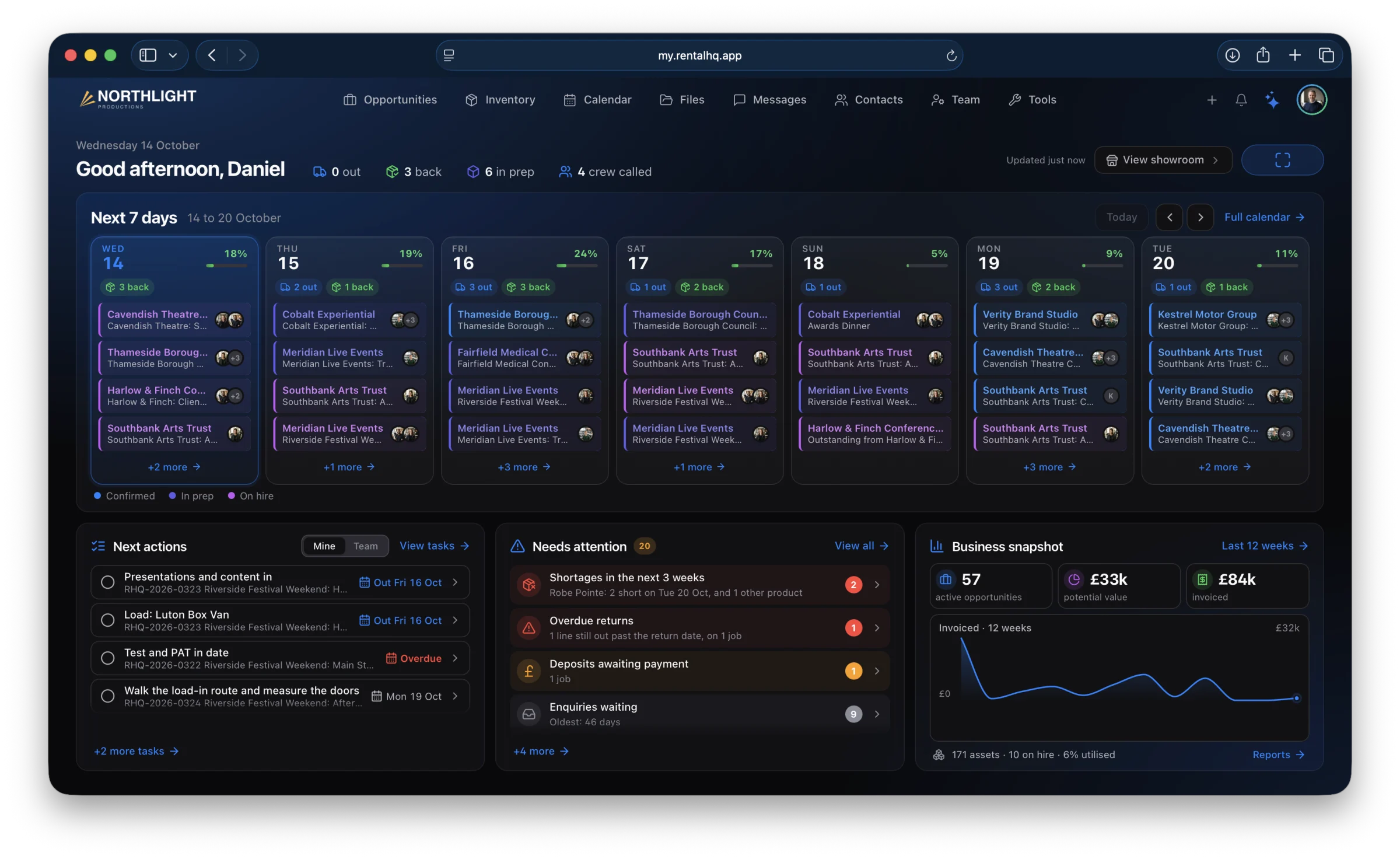
A clear view of what is out, what is in and what is coming up.
Deployments
Kit held once on the vehicle for a whole run, and each stop charged for what it uses. How it works
Contacts
Clients, suppliers, venues and crew, with the notes that matter pinned to their jobs.
Files
Riders, plots, specs and photos, kept with the right job.
Reports
Money in, what is coming and who it comes from.
Blueprints
Save the kit you send again and again, and add it to a job in one go, with what is free checked first.
Delivery
Shipments with tracking, and Mark delivered with photos or a signature as proof, emailed to your client.

Know what’s free before you say yes.
Pick your dates and see every product, how many are free each day and which jobs hold the rest. Count quotes as taken if you like, and an overbooked day shows in red.
How availability works


Your business.
In your pocket.
Keep things moving wherever the job takes you. Jobs, tasks, scanning, checklists and the job chat on your phone, on site or in the warehouse, and the whole of Rental HQ on the Mac.
Or use Rental HQ in any browser at my.rentalhq.app.
Scan it out.
Scan it back.
Smart Scan knows what each scan means, so nobody picks a mode first. The whole job, from a phone in the warehouse.
Prep
Scan each item as it is made ready and pack it into its case as you go. The job counts down what is left.
Dispatch
Scan each case onto the van. When the last one is on, the job goes out by itself.
Return
Scan the kit as it comes home and it is checked back in against the job.

Nothing falls through the gaps
before a show.
The warehouse, the crew and the office, on one list. Every task on every job, project and list in one place, so everyone can see what is late, what is due today and what is coming up, and the routine ones tick themselves as the work is done.
Type it as you would say it. Rental HQ reads the day, the time, the person or role and the job, and shows you what it read before anything is added.


-
Tasks that tick themselves
Less chasing. Set a task to tick itself and it closes the moment the work happens in Rental HQ.
- when the quote is sent
- when a payment comes in
- when the hire agreement is signed
- when the invoice is paid
-
Job checklists from templates
Save what a festival or a conference always needs. Each task is due a number of days from the job’s dates, so it moves when the job does, and a template can add itself when a quote is sent or a job is confirmed.
-
Repeating tasks
Every few days, weeks or months, or on the days you choose. Type “every Monday” and the van check is never forgotten.
-
Your own inbox
A task with no job is yours alone, unless you give it to someone. Your own to-dos sit beside the company’s.
-
My day
Late, today and coming up, first thing. On your phone, later and undated tasks too.
-
Wherever the work is
On the web and the Mac, with the board, the list and My day, and in a Tasks tab of its own on iPhone and Android.

- Free for at least 30 days
- Never charged unless you choose to keep it
- For everyone in your company
Every new account has Tasks in its free trial. If your company already pays, it switches on by itself, free until your next billing date at least 30 days on. To keep it, tick Tasks in Settings, under Plan and billing: the Keep Tasks button on the trial banner takes you there.
Rental companies across the UK rely on Rental HQ.
From AV and lighting to staging, power and event production, rental companies use Rental HQ to stay organised and deliver great events.
“Placeholder quote one. A sentence or two about what changed for the team.”
Job title, Example Company
“Placeholder quote two. What they use every day, in their own words.”
Job title, Example Company
“Placeholder quote three. Short is better than long.”
Job title, Example Company

Your data, your business, in safe hands.
Your data is encrypted, backed up every day and hosted in London, so you can get on with the work.
- Every company's data is kept apart by row-level security in the database itself
- Encrypted in transit and at rest
- Daily backups, with recovery to any second of the last 7 days
- Stored and hosted in the UK, in London
Works with the tools you already use.
The API and MCP server are included with Rental HQ. Connect any AI assistant that speaks MCP, and it can read your jobs, availability and catalogue.
- A REST API for your own systems: read your catalogue, availability and jobs, and create or update opportunities
- An MCP server for AI assistants, which can read but never change anything
- Invoices sent to your accounting software, with the client’s details kept in step

You won’t be starting from scratch.
Bring your catalogue, stock and contacts across from a spreadsheet. Moving from an established rental platform? We may be able to bring your whole history too: jobs and their kit lists, venues and projects.
Bringing your data acrossPlans that grow with you.
One flat price for unlimited users. Add only the modules you need, and more storage when you want it. Every account starts with a 30 day free trial with every module switched on, Tasks included, and no card.
- Everything in Rental HQ except Team and H&S / Compliance
- Showroom, RF IQ, Tasks and more storage can be added
- When someone joins you, move to the full plan in one step and keep everything
- Unlimited users
- Unlimited products & assets
- Opportunities, quotes & invoices
- Availability engine & scheduling
- Barcode scanning, label printing & the iPhone, Android and Mac apps
- Job chats and team rooms
- AI-assisted data entry
- Custom fields
- Partner network: cross-hire & shared stock
- Accounting sync
- Files, with 5 GB of storage included
- Open API and MCP server for AI assistants
Tell us how you work and we will talk it through with you.
Storage plans
Room for the files your team keeps: job files, client documents and kit paperwork. A plan is for the whole company, however many people use Rental HQ, and nothing you store is ever deleted.
5 GB of storage and 5 GB of downloads a month
50 GB of storage and 25 GB of downloads a month
100 GB of storage and 50 GB of downloads a month
All prices exclude VAT, which is added at the standard rate when you pay. Plans are monthly, and you can cancel any time.
* Introductory pricing. These are our launch prices whilst rolling out, and may be subject to review at some point in the future.

Join rental companies
moving events forward.
Set up in minutes. No credit card required.